Framer vs Webflow in 2026: Which Should You Build Your Website On?
Framer vs Webflow in 2026: an honest comparison of design freedom, CMS, animation, SEO, ecommerce and pricing to help startups pick the right website builder.
 Eric Boluwatife
27 August 2026 · 6 min read
Why nowWritten after six months building Ink Removal in Framer alongside an engineering team.
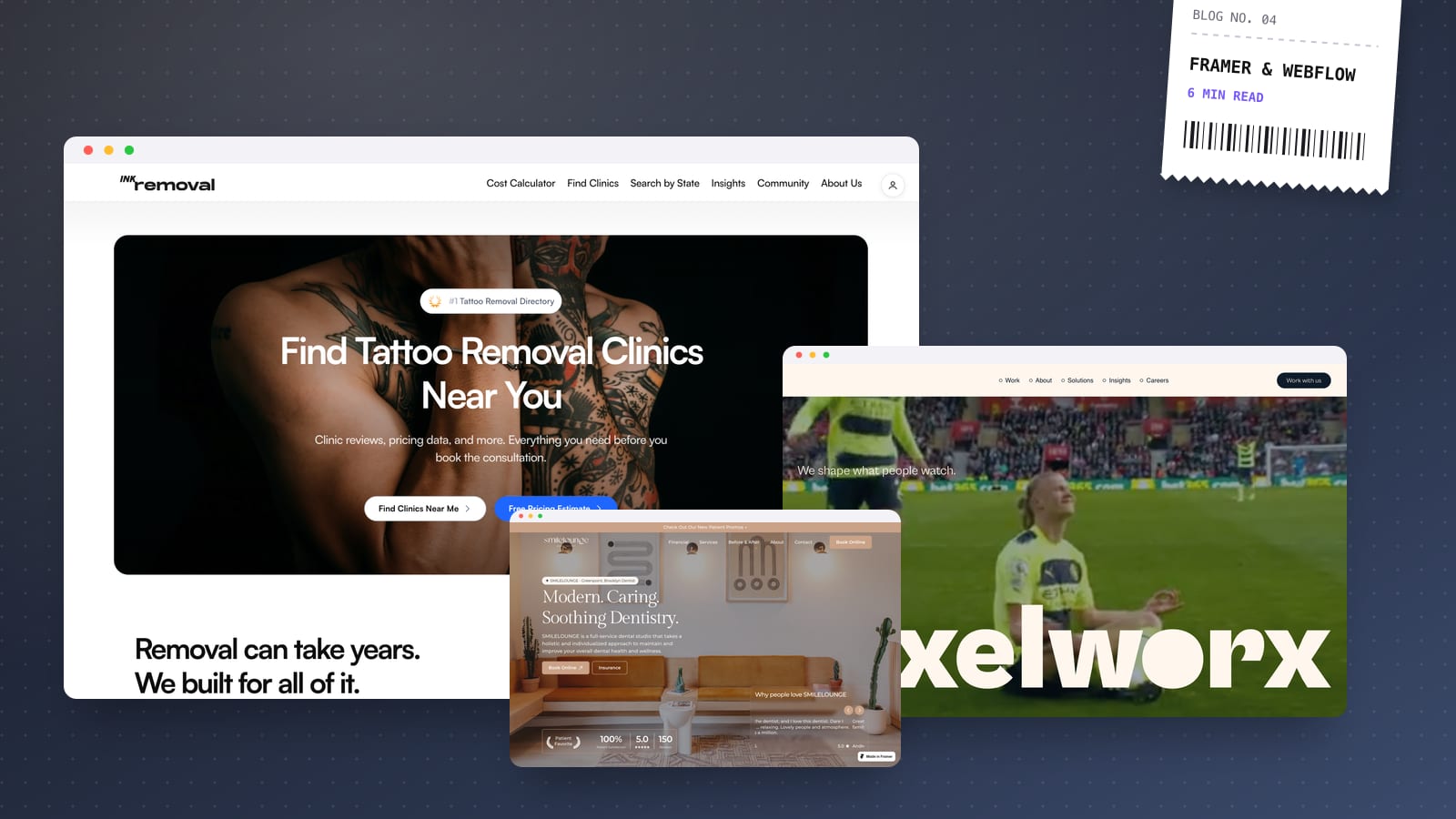
Choose Framer if you want a fast, highly visual marketing site that designers and founders can edit easily. Choose Webflow if your site is content-heavy, needs a deeper CMS with lots of structured relationships, or needs native ecommerce. If you need logic, user accounts or full control over performance and hosting, skip both and build in code.
I'm a certified Framer expert, so you should know where my bias sits. But I also build on Webflow and in code (Astro and Next.js), and I recommend whichever fits the project. Here's how I actually make that call.
Framer vs Webflow at a glance
| Factor | Framer | Webflow |
|---|---|---|
| Best for | Startup and product marketing sites, portfolios, launches | Content-rich sites, larger marketing teams, simple stores |
| Design workflow | Canvas-first, feels like a design tool | Box-model and classes, feels closer to CSS |
| CMS | Solid and simple, good for blogs and case studies | Deeper, with richer references and structure |
| Animation | Excellent built-in effects and transitions | Powerful interactions, steeper to master |
| Ecommerce | Not native; relies on third-party tools | Native ecommerce for smaller catalogues |
| Learning curve | Gentle for designers | Steeper, rewards web fundamentals |
Design freedom and building experience
Framer feels like a design tool that happens to publish websites. You work on a free-form canvas with stacks (similar to auto layout), breakpoints and components. For designers coming from Figma, it's very quick to become productive, and it's the reason I can often ship a polished marketing site in one to two weeks.
Webflow is built around the web's actual box model. You style elements with classes, think in terms of flexbox and grid, and structure pages much as a front-end developer would. That makes it slower to learn, but it also gives very precise control over the markup and styling, which matters on large sites with many templates.
In practice, both can produce beautiful, fully custom sites. Neither should look like a template if your designer knows what they're doing.
CMS and content management
This is where the two differ most for growing businesses.
- Framer's CMS handles blogs, case studies, team pages and changelogs well. It's easy for non-technical people to use, and editing content directly on the page is intuitive.
- Webflow's CMS is more structured. Reference and multi-reference fields let you connect collections (authors to posts, categories to products, locations to services), and it scales better for sites with large libraries or complex filtering.
If your content plan is a blog plus a portfolio, either is fine. If you're planning hundreds of programmatic landing pages or a resource hub with lots of cross-linking, Webflow, or a code-based CMS, usually wins.
Animations and interactions
Framer's animation tools are a big part of its appeal. Scroll effects, appear animations, page transitions and hover states are quick to set up and look smooth by default. For launch pages and product sites where motion helps tell the story, it's hard to beat on speed.
Webflow's interactions are very capable too, and you can build intricate scroll-driven sequences. They take longer to set up and maintain, though, so I'd only lean on them heavily when the team already knows Webflow well.
My rule on either platform: motion should guide attention, not decorate. Heavy animation can hurt performance and accessibility if it's overdone.
SEO on Framer and Webflow
Both platforms give you the essentials: custom page titles and meta descriptions, Open Graph images, clean URLs, automatic sitemaps, redirects and SSL. Both can rank well. Search engines don't reward one platform over the other; they reward fast, well-structured, useful pages.
What matters more is:
- Page speed, especially on mobile. Watch image sizes, font loading and heavy embeds.
- Clean heading structure with one H1 and logical H2s.
- Content quality and internal linking.
- Redirects when you migrate, so you don't lose existing rankings.
Webflow gives slightly more granular control over markup and schema in some areas, which technical SEO teams appreciate. For most startups, both are more than enough. Before launching on either, run through my website SEO checklist before launch.
Ecommerce on Framer and Webflow
This one is simple. Framer doesn't have native ecommerce. You can connect third-party tools or embed buy buttons, which works for a handful of products or pre-orders, but it isn't a full store.
Webflow has native ecommerce, which suits smaller catalogues where design control matters. For larger catalogues, complex shipping rules or lots of apps and integrations, I usually recommend Shopify or a custom build instead. I've written a full comparison in Shopify vs custom ecommerce.
Pricing and team editing
Pricing models
Both platforms charge a monthly or annual site plan for hosting and features, and both have separate workspace or seat plans for collaborators. Pricing tiers change regularly, so check the current pages before committing, but the general pattern is:
- Framer tends to be cheaper for a standard marketing site, with plans scaling by pages, CMS items and bandwidth.
- Webflow costs can climb as you add CMS items, ecommerce, extra editors or higher traffic.
Both bill in US dollars, which is worth factoring in if your business earns in another currency. The bigger cost is still the design and build itself; my no-code builds start from $1,500 and typically launch in 1–3 weeks.
Team editing and handover
A website is only useful if your team can keep it current.
- Framer is very friendly for founders and marketers who want to change copy, swap images or publish a post without fear of breaking the layout.
- Webflow separates designers from content editors more formally, which suits larger teams where you want marketing to update content but not touch the design system.
Whichever I build on, I set up components and CMS collections so editing is safe, and I record a walkthrough video so your team knows exactly how to update things.
When to choose code instead, and my recommendation
Framer and Webflow are excellent for marketing sites. They're the wrong tool when:
- You need user accounts, dashboards or logic. That's a web app. See my web apps service.
- You want no platform lock-in and full ownership of the code and hosting.
- Performance is critical and you want complete control over every script and asset.
- You need deep integrations with your own database, APIs or internal tools.
- You want a custom CMS shaped exactly around your content, with editing that lives in your own repository.
For content-led marketing sites in code, I like Astro with a Git-based CMS such as Keystatic: fast, cheap to host and easy to edit. For anything app-like, I use Next.js and React.
My recommendation
- Early-stage startup, product launch or portfolio: Framer.
- Content-heavy marketing site with a growing team: Webflow.
- Store with real volume: Shopify or custom.
- Product with logins and data: code.
You don't have to pick just one
Many startups run a hybrid: the marketing site on Framer or Webflow at the main domain, so the team can update pages and publish posts quickly, and the product itself built in Next.js on a subdomain such as app.yourdomain.com. That keeps marketing fast and independent while engineering owns the app. The key is a shared design system, so the jump from website to product feels like one brand rather than two different companies.
Not sure which platform fits your project? Book a 30-minute call and I'll recommend the right tool for your team and roadmap, then send a fixed-price quote within a day.